What it does
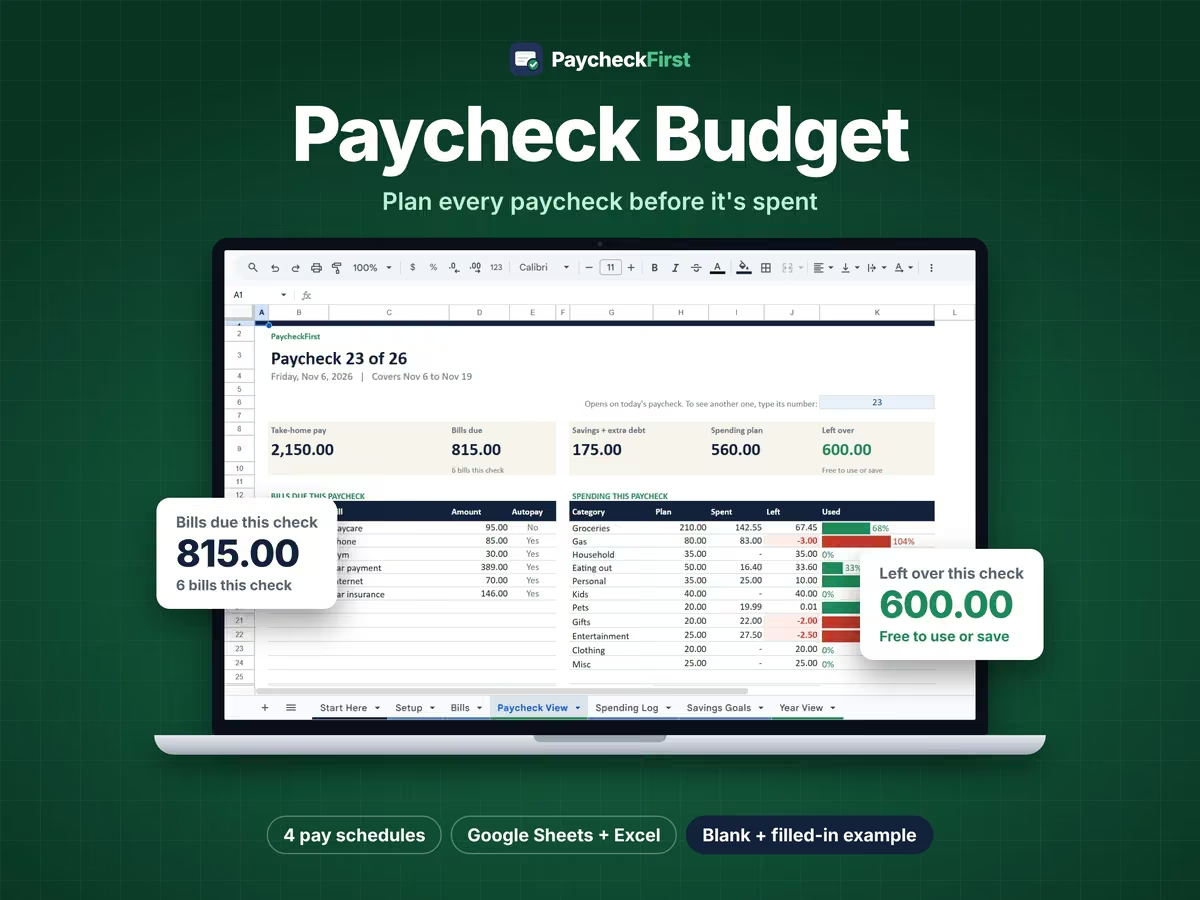
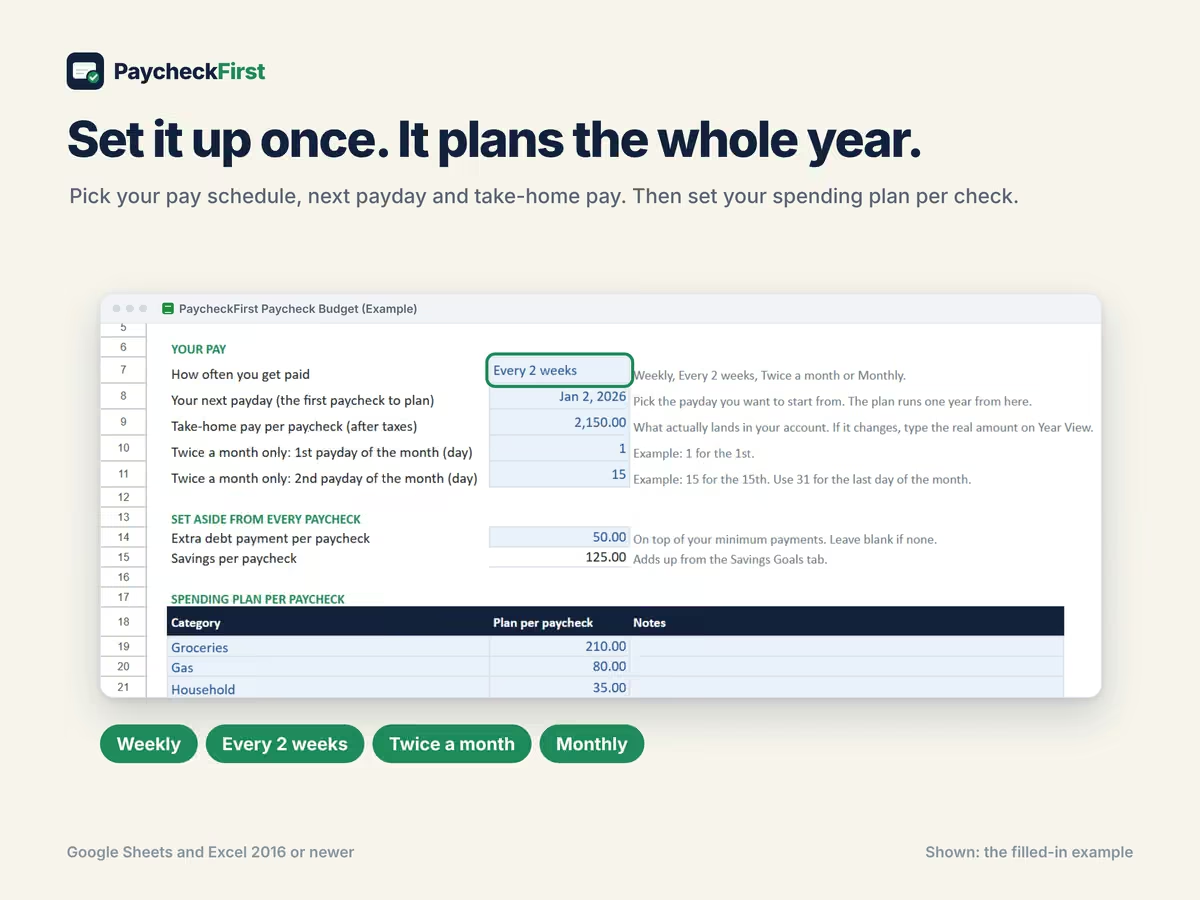
Most budgets go by the month. Your money comes in by the check. This spreadsheet is built around your paydays: which bills come out of which check, what you set aside, and what's left.
Works with weekly, every 2 weeks, twice a month, or monthly pay.
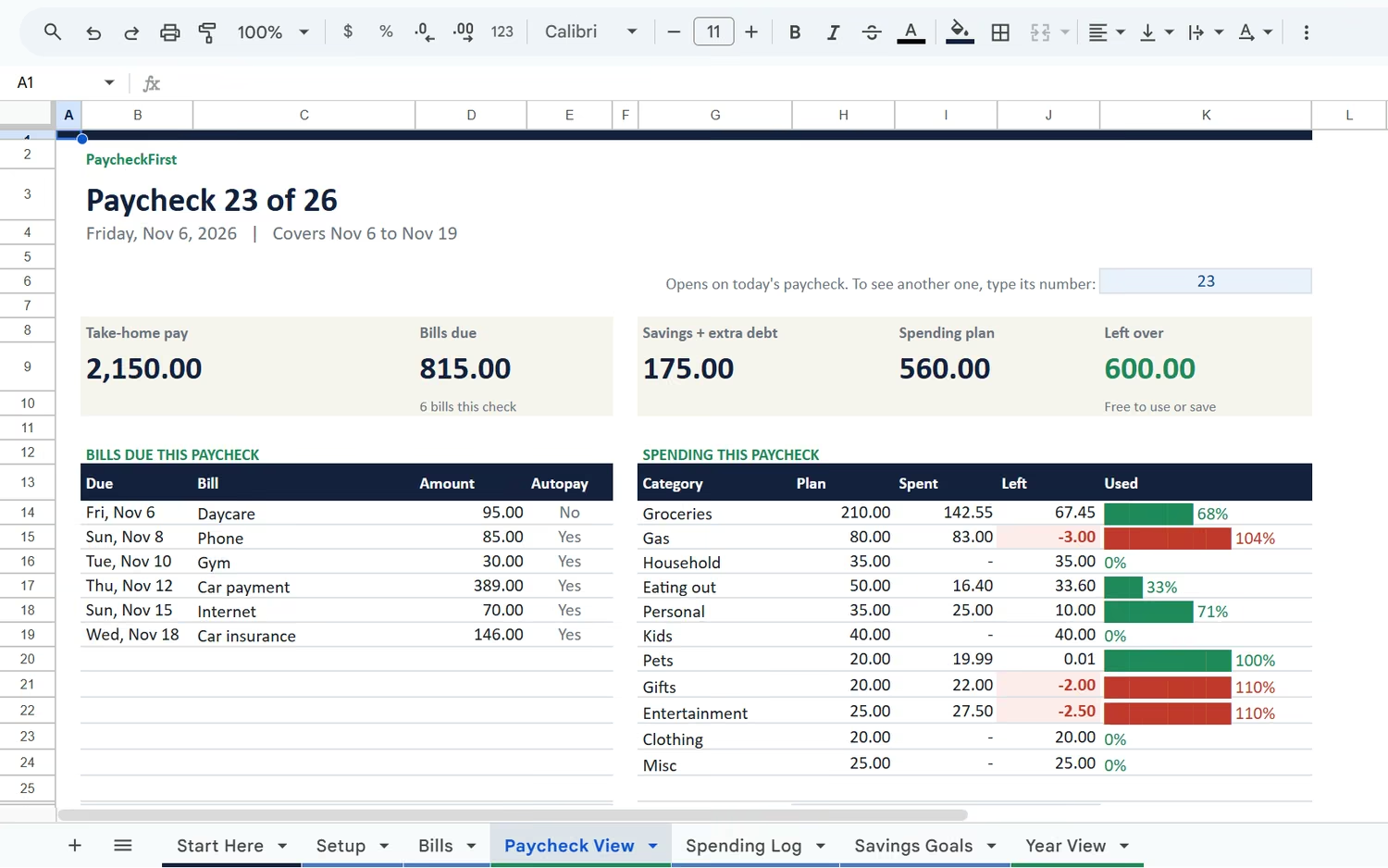
- Paycheck ViewOpens on the check you're on today. You see every bill due before your next payday, your savings and spending plan, and what's left over.
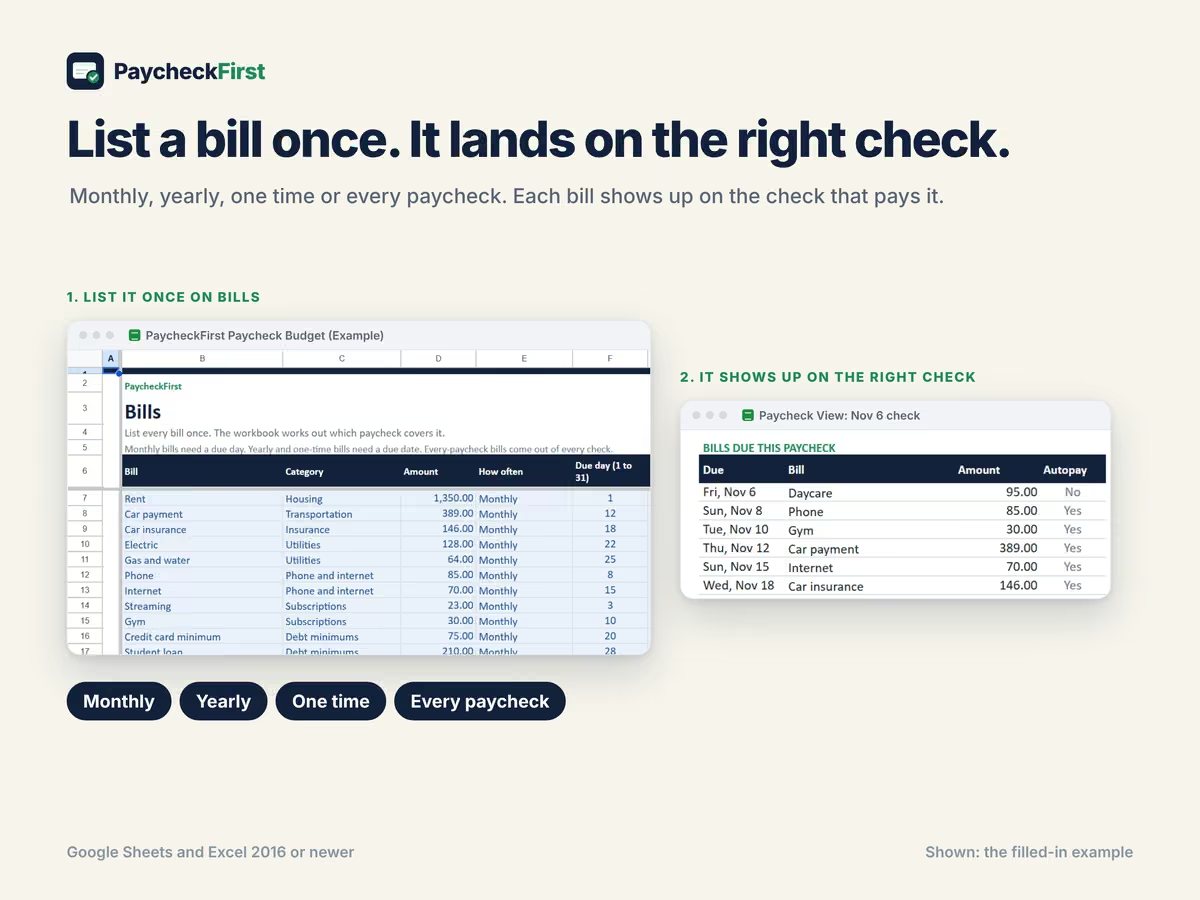
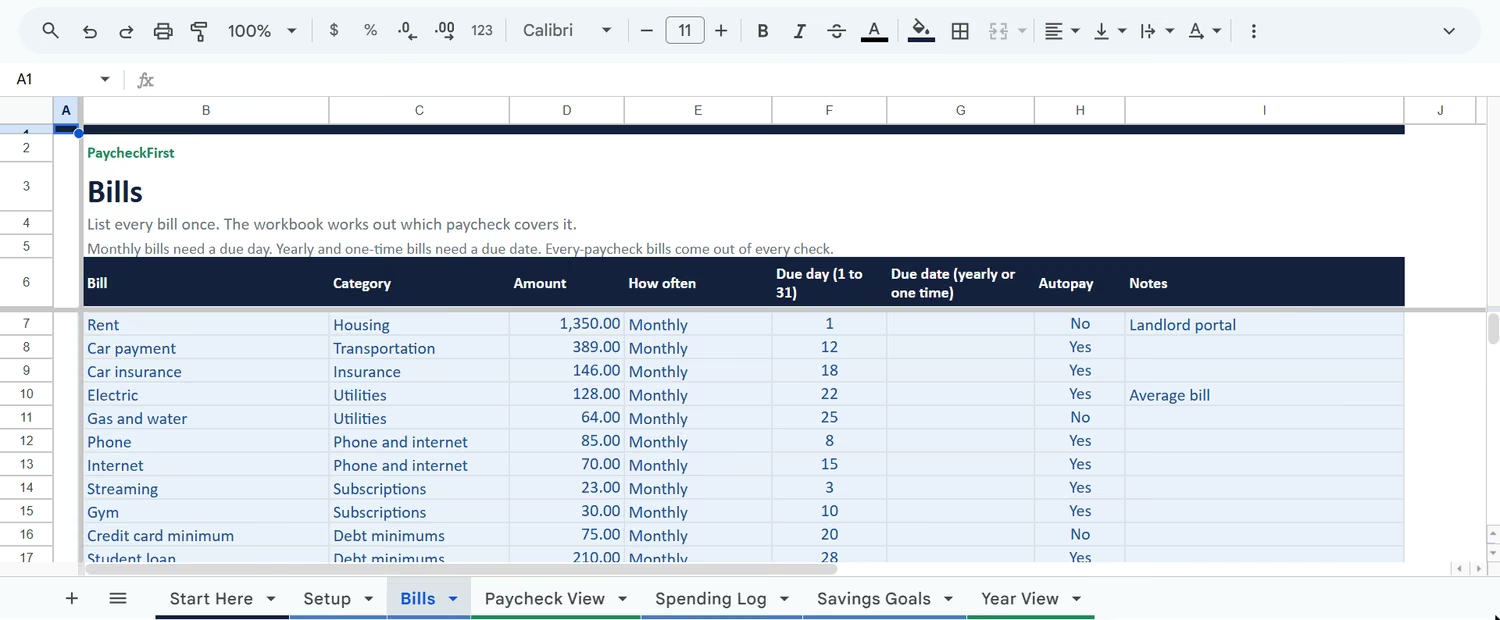
- BillsList each bill once (monthly, yearly, one time, or every paycheck) and it lands on the right check by its due date.
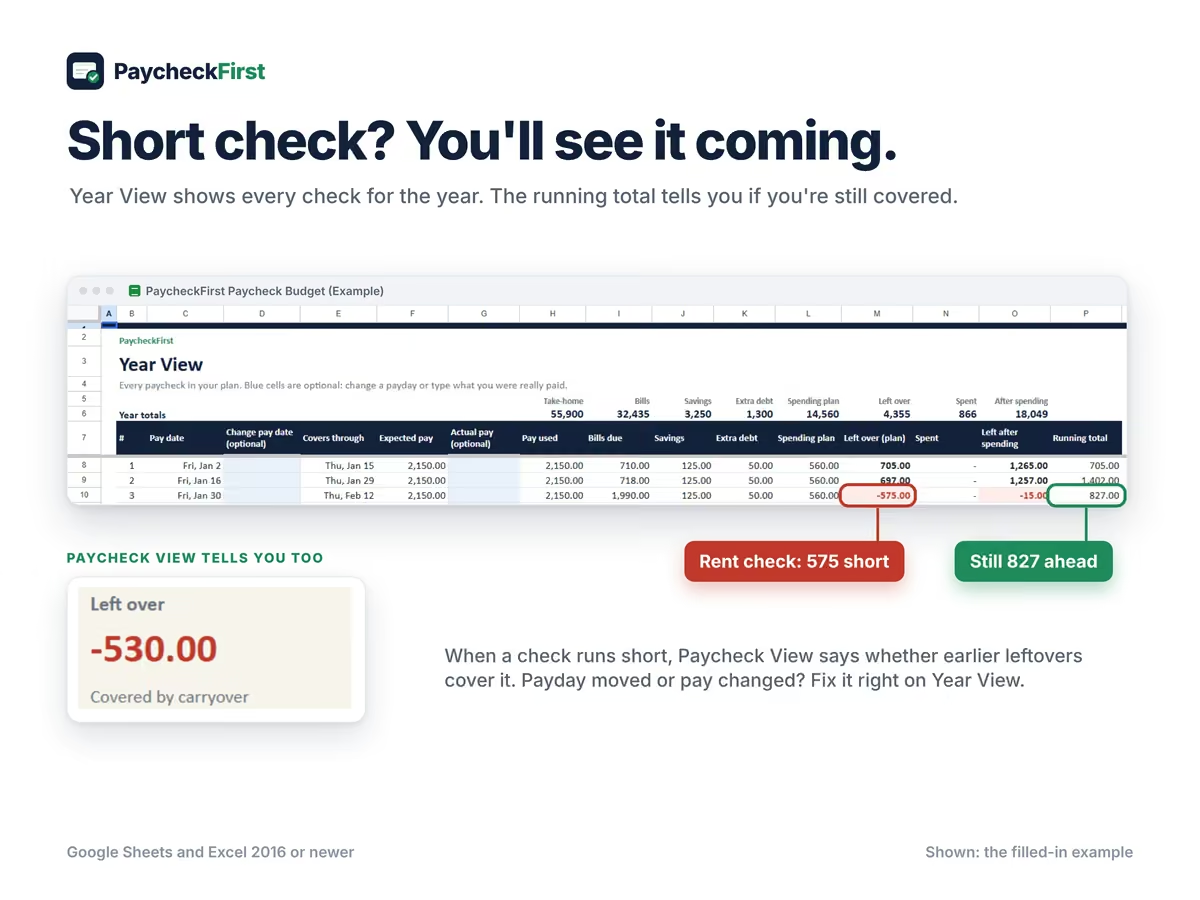
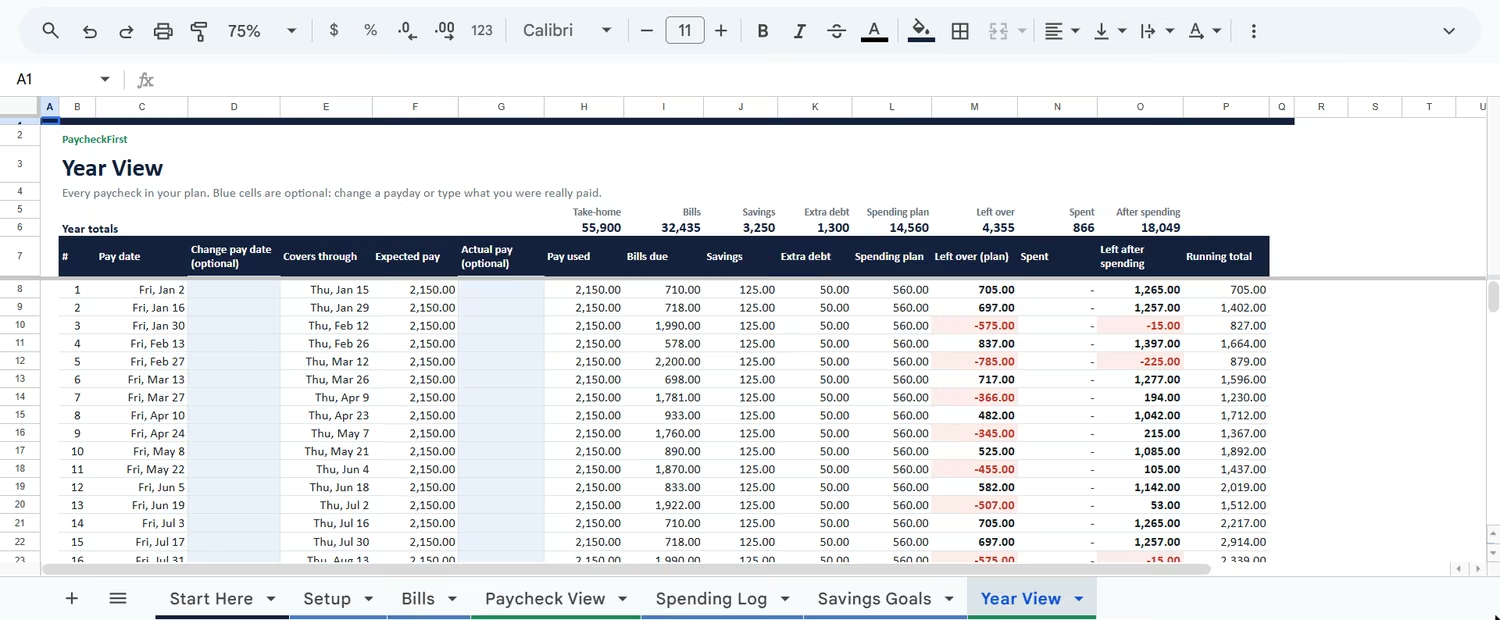
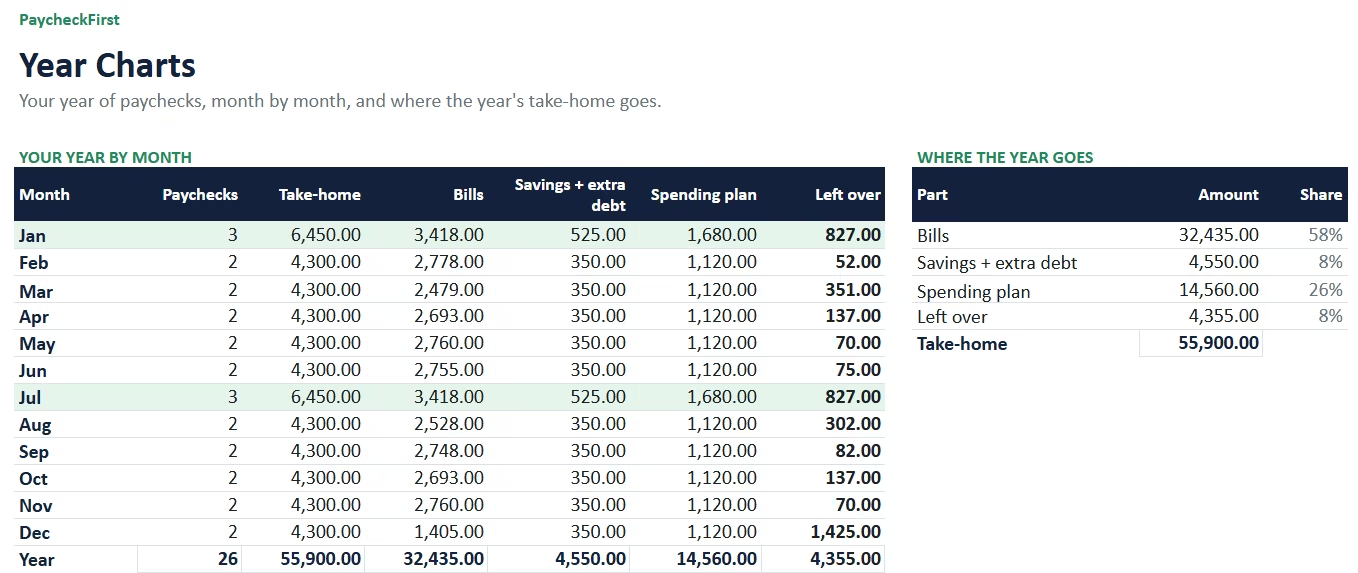
- Year ViewShows every paycheck for the year with a running total, so you see the short rent checks coming and know whether earlier leftovers cover them.
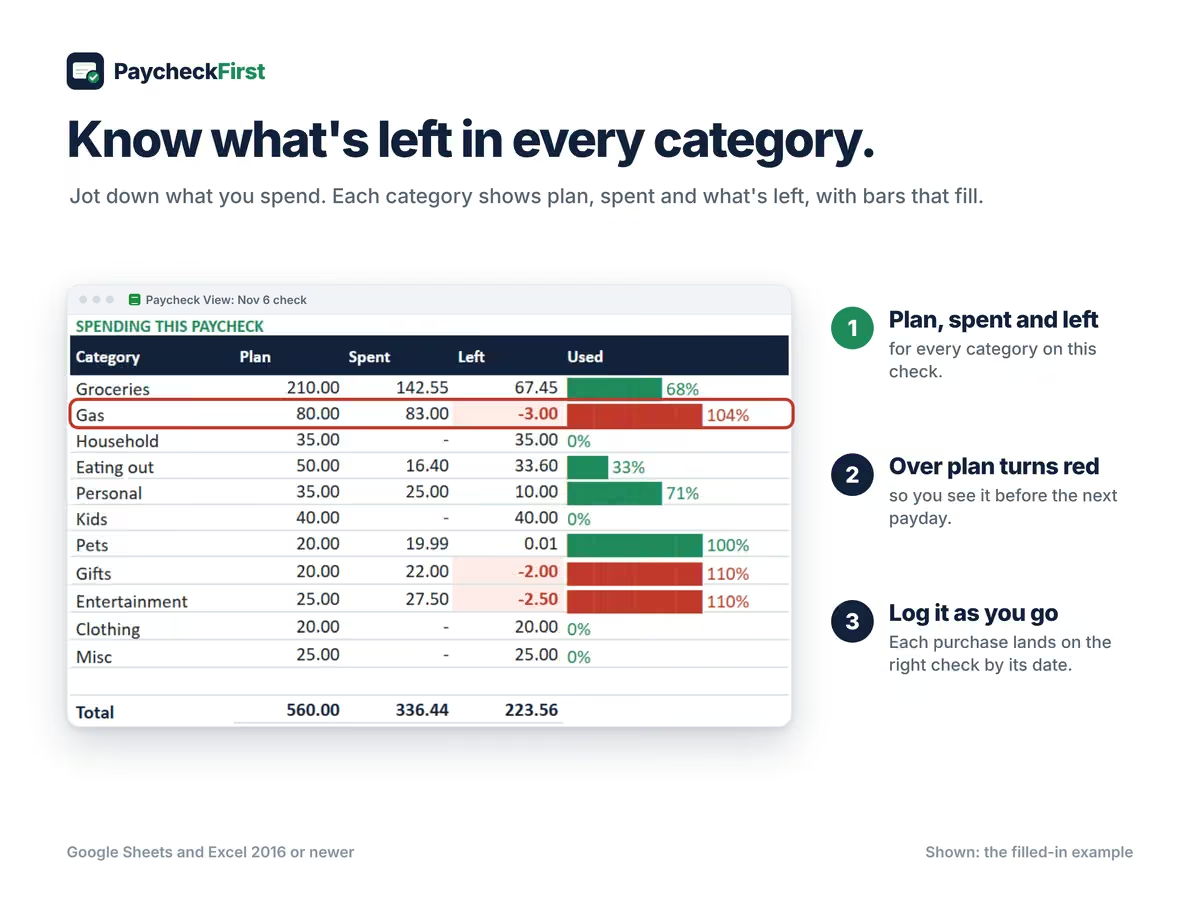
- Spending LogJot down what you spend. Each entry lands on the right check, and Paycheck View shows plan, spent and left for each category.
- Savings GoalsSet a target and an amount per check, and see about when you'll hit it.
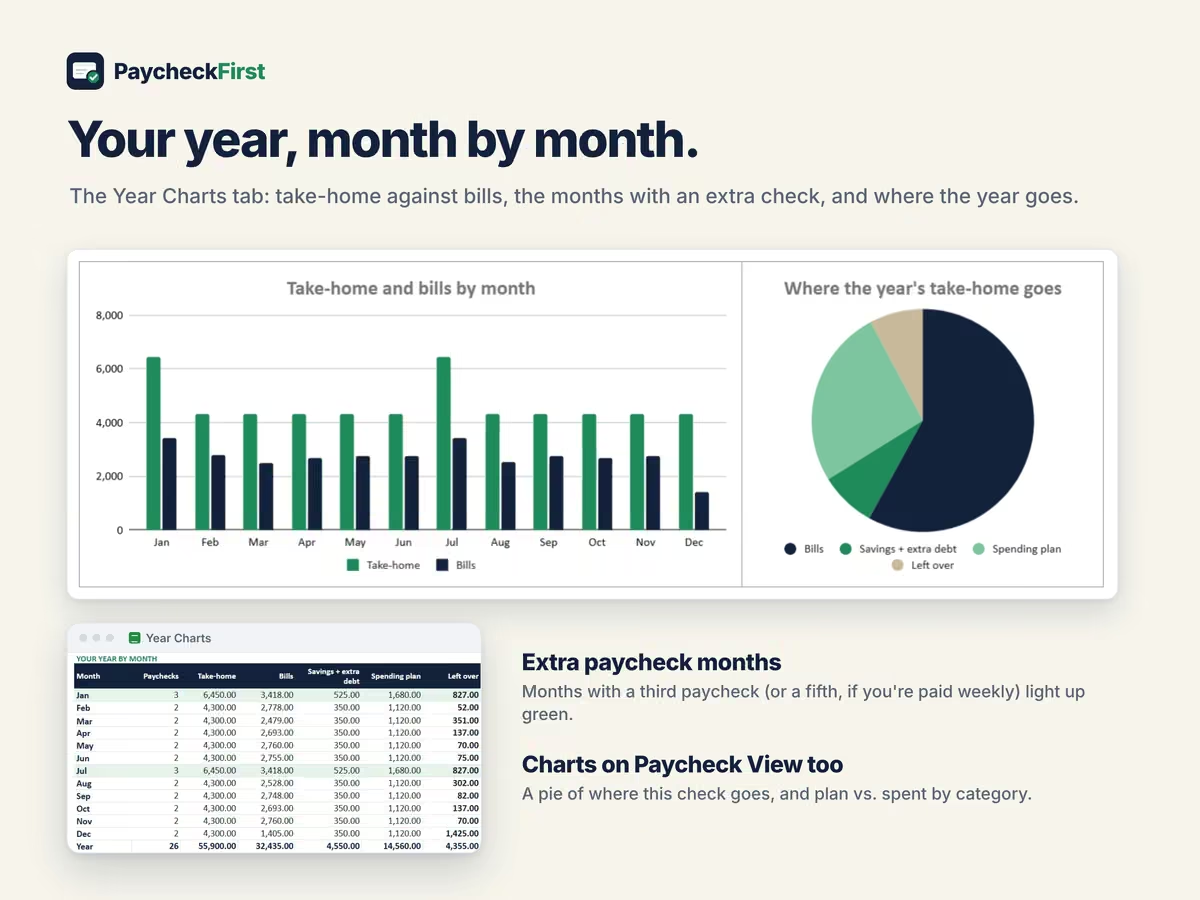
- ChartsPaycheck View shows where this check goes and plan vs. spent by category. Year Charts shows take-home against bills for every month, with the extra paycheck months in green, and where the year's money goes.
- Payday moved for a holiday, or your pay changed?Type the real date or amount on Year View and the plan adjusts.
Inside the workbook
Real screenshots of the filled-in example in Google Sheets. Click any one for a closer look.
Works with
- Google Sheets, free with a Google account. Every file is tested there.
- Microsoft Excel 2016 or newer, including Microsoft 365. It only uses formulas that Excel 2016 already has, so nothing needs the newest version.
- Not made for Apple Numbers.
Good to know
- Blue cells are where you type. White cells do the math and are protected, so a stray keystroke can't wreck a formula.
- No currency sign is built in, so it works in any currency.
- This is a digital download. Nothing gets shipped.
- It's a budgeting tool, not financial advice.
Guides that go with it
How to budget by the paycheck
A monthly budget can say you're fine while one check comes up short. Here's how to plan each paycheck before it lands, and what to do with the months that bring an extra one.
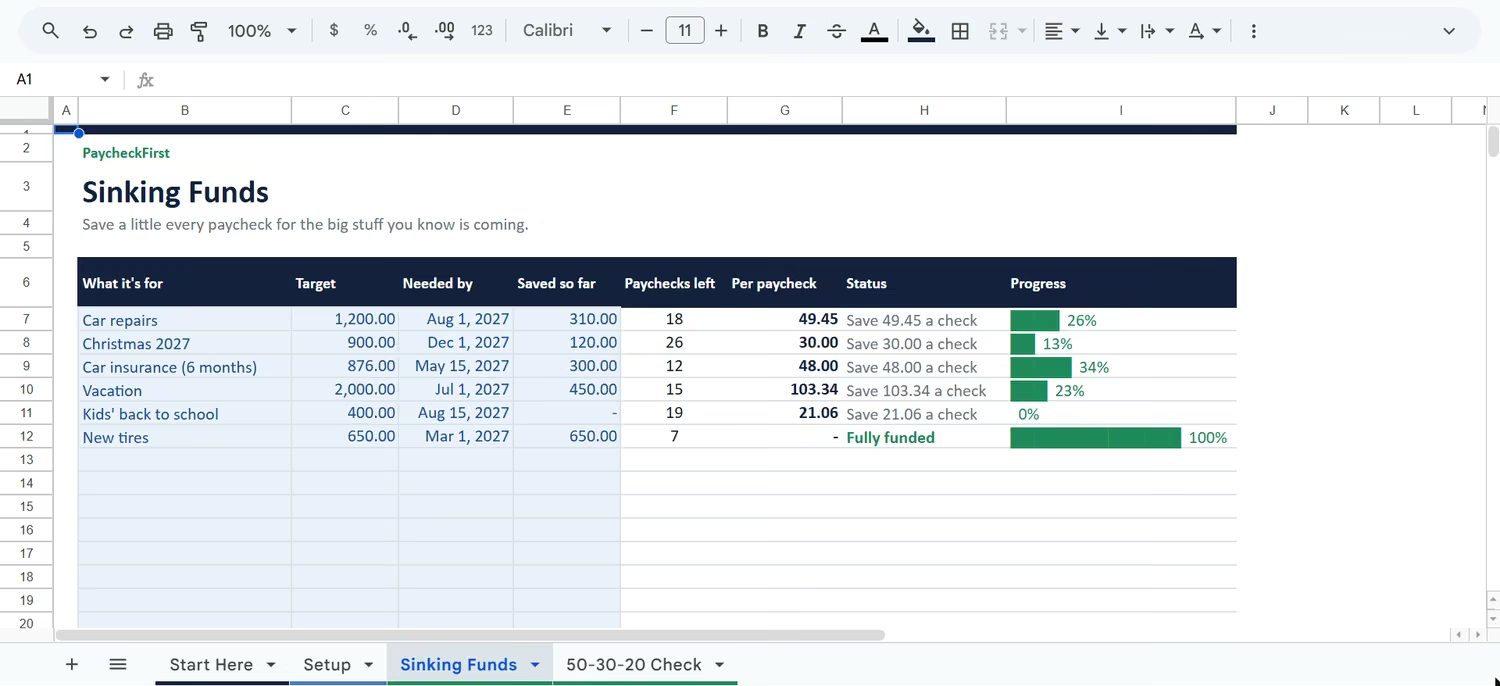
Sinking funds: stop getting blindsided by bills you knew were coming
Christmas, tires, registration, the six-month insurance bill. None of them are surprises, but they hit like one. A sinking fund spreads each one across your paychecks.
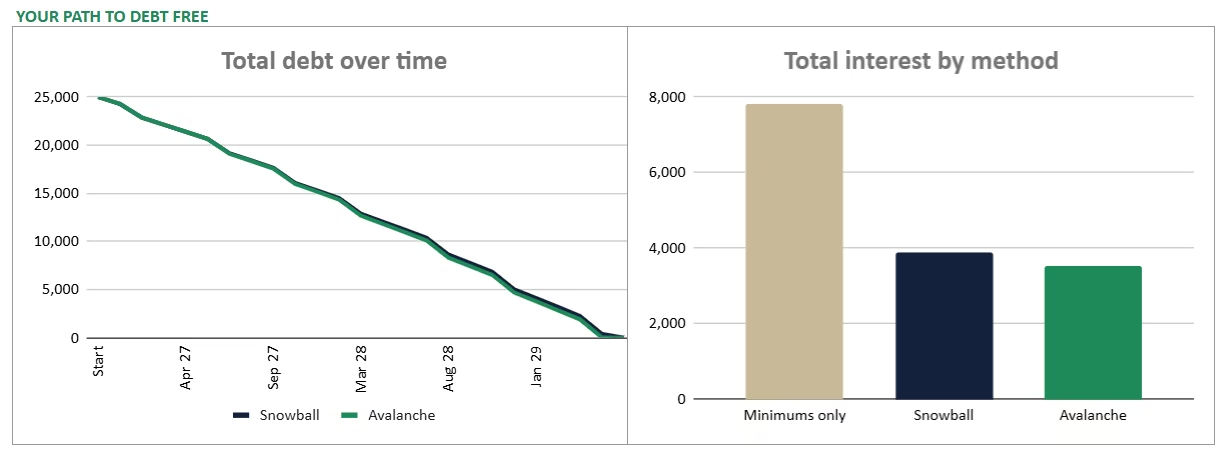
Debt snowball vs. debt avalanche: which one should you use?
Both pay off everything you owe. One saves more interest, the other gets you wins sooner. Here's how they compare on a real set of debts, and how to pick.
You might also need
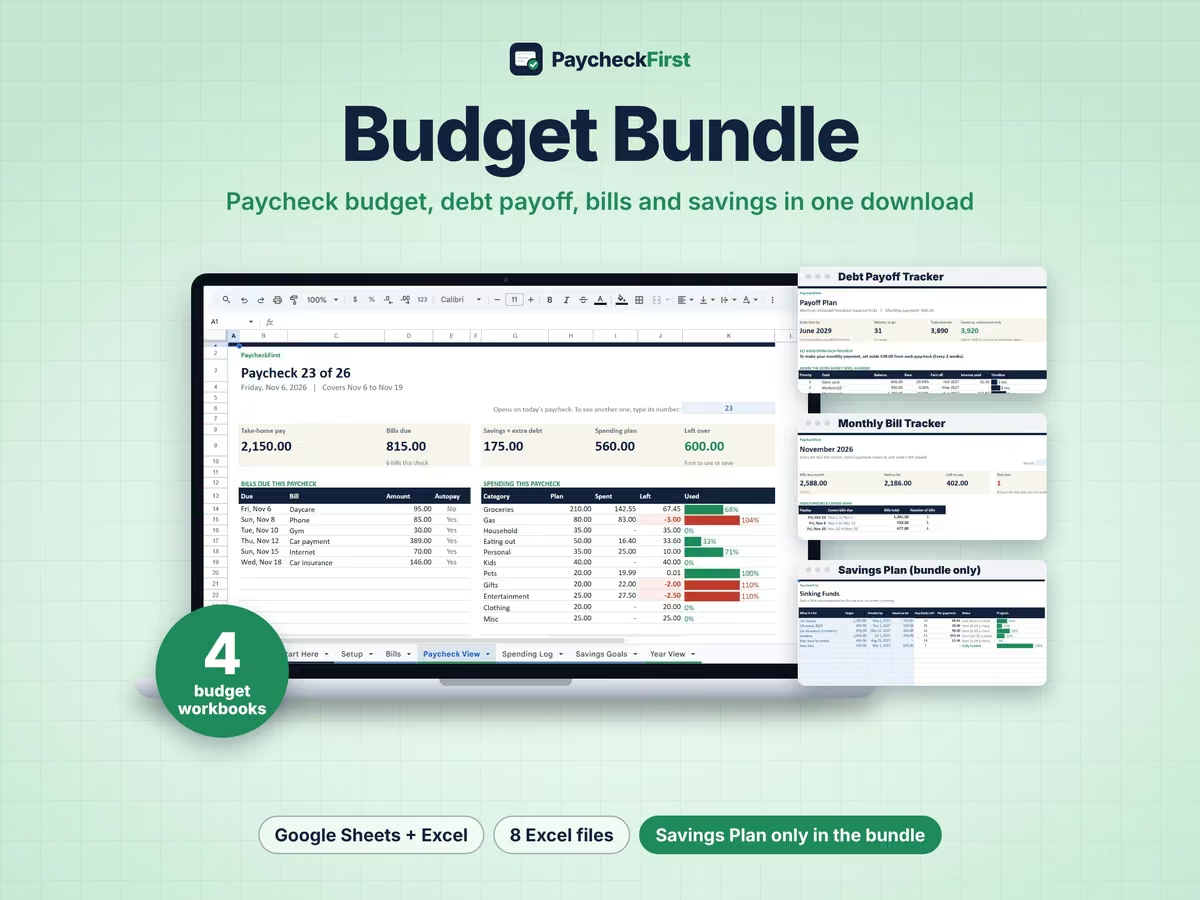
Budget Bundle
The Paycheck Budget, Debt Payoff Tracker and Bill Tracker, plus the Savings Plan you can only get here.
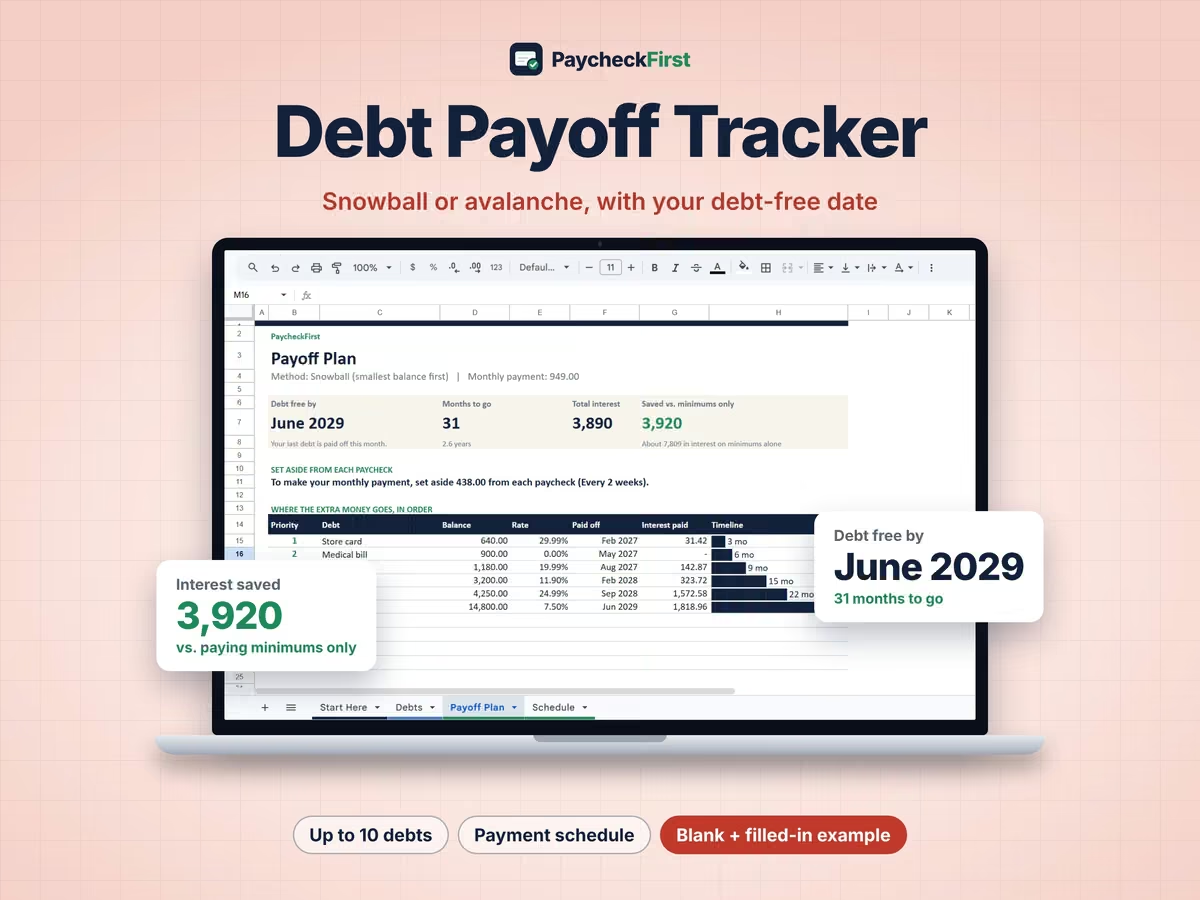
Debt Payoff Tracker
See your debt-free date, compare snowball and avalanche, and know what to set aside each check.
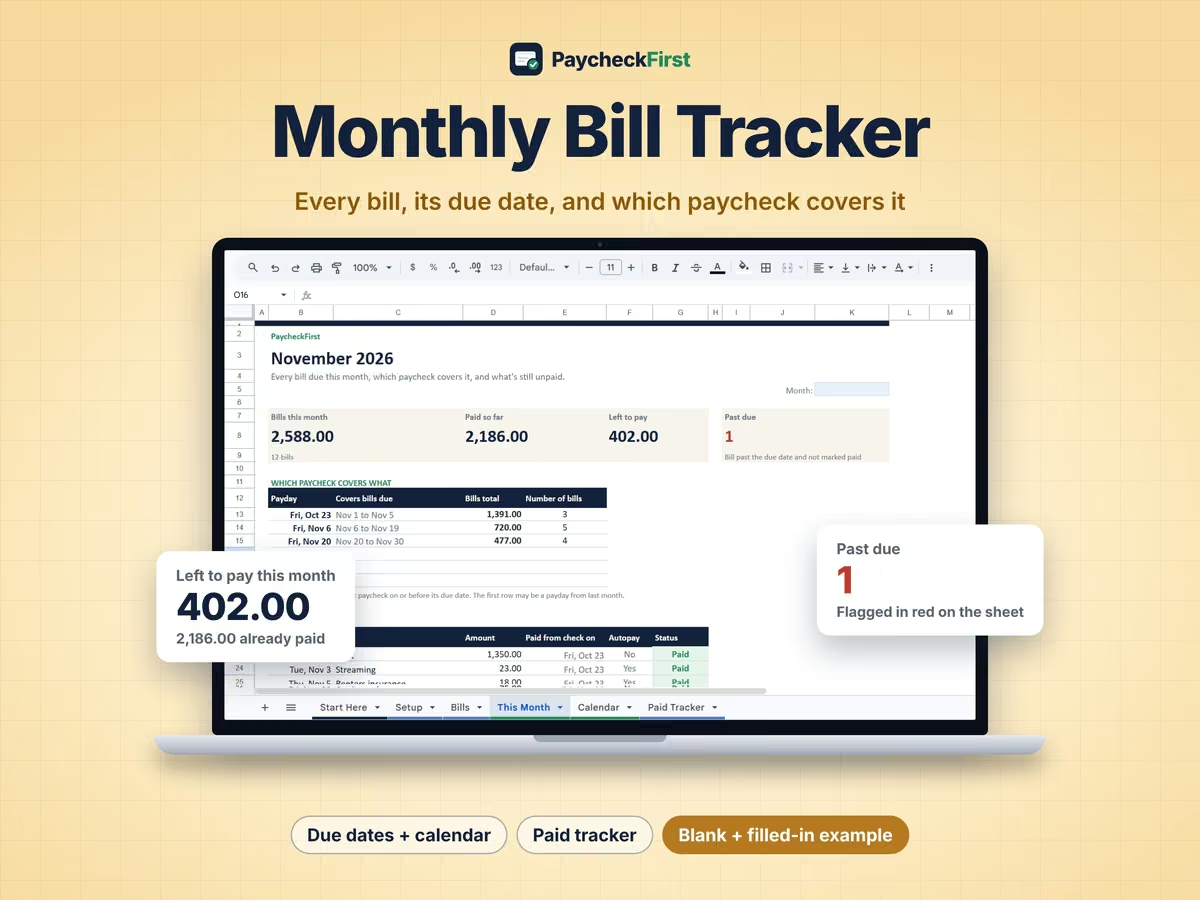
Monthly Bill Tracker
A month list, a calendar with paydays marked, and a 12-month paid checklist.