- Home
- About
Built by a working electrician who budgets by the paycheck
PaycheckFirst makes budget spreadsheets and a budget app that start with the paycheck, plus fillable planners that put your family's information in one place. Everything is tested before it goes up.
I've been an electrician since 2007. In the trades you get paid by the check, and the bills don't care when payday lands. Rent hits one check, the car payment hits another, and a monthly budget doesn't tell you what's actually left after this check.
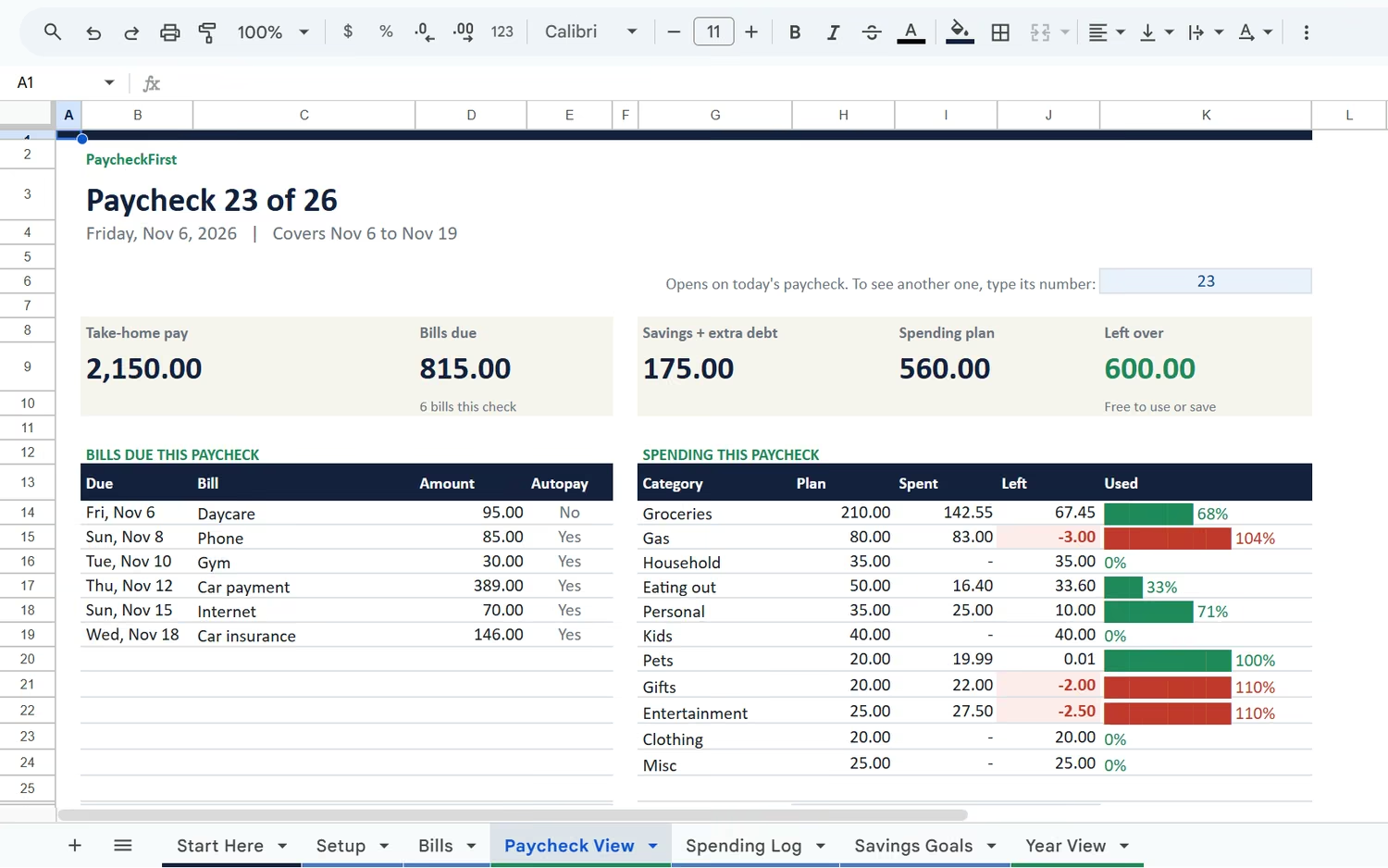
So I built spreadsheets that start with the paycheck. Put in when you get paid and what your bills are, and it tells you which check covers which bill and what's left over. Then I built a debt tracker and a bills calendar to go with it.
Every workbook here gets the same treatment I give a job: tested, checked twice, and nothing in the listing the file can't do. They work in Google Sheets and Excel 2016 or newer, and each one comes with a filled-in example so you can see how it works before you start.
Since then I've added the Budget App, the same paycheck plan on your phone and computer, and two fillable planners: the Family Emergency Binder and the End of Life Planner. The home shutoff and breaker panel pages in the binder are written the way I'd explain them to a homeowner.
If something isn't clear, send me a message. A real person answers.
Messages go through Etsy. Open the shop and use Contact shop owner.
How the spreadsheets work
The same three steps for every workbook.
Buy it on Etsy
Checkout and delivery run through Etsy. Your download is ready the minute you pay, and it stays under Purchases in your Etsy account.
Open the Start Here PDF
It has the link that makes your own private copy in Google Sheets, the Excel files, and a short quick start guide.
Fill in the blue cells
Blue cells are where you type. White cells do the math and are protected, so a stray keystroke can't wreck a formula.
Questions
Do I need Excel?
No. Each listing includes links that make your own copy in Google Sheets, which is free with a Google account. If you'd rather use Excel, the Excel files are included too.
Which Excel versions work?
Excel 2016 or newer, including Microsoft 365. The workbooks only use formulas Excel 2016 already has.
Will it work in Apple Numbers?
They aren't made for Numbers. On a Mac, use Google Sheets or Excel for Mac.
How do I get my files?
After you check out, Etsy gives you a download link right away. It's also under Purchases in your Etsy account. Open the Start Here PDF first.
Can I change the categories?
Yes. Spending and bill categories are blue cells you can rename.
Can I share it with someone else?
It's for your own household's use. Please don't resell or share the files or links.
Is there a subscription?
No. You buy once on Etsy and the files are yours. There's no account to make and nothing to link to your bank.
Is this financial advice?
No. These are budgeting tools that do the math on the numbers you put in. For advice about your own situation, talk to a qualified professional.
The Budget App
Is there a subscription?
No. You pay once on Etsy. There's no account to make and no bank login.
Can I try it before I buy?
Yes. The free demo runs with sample numbers at app.paycheckfirst.com/?demo. Nothing you change in the demo is saved.
Where are my numbers saved?
On your own device. They're never sent to us or anyone else. Back up anytime with one tap, and use the backup file to move your budget between your phone and computer.
What does it run on?
A current web browser on your phone, tablet or computer. It's tested in Chrome and Edge. Add it to your home screen and it opens like an app and works without internet.
The family planners
Can I type in it, or do I have to print it?
Either one. Open it in the free Adobe Acrobat Reader, or in Chrome or Edge, click a line and type, then save. Or print it and write. Every line works by hand.
Does it ask for passwords or account numbers?
No. Neither planner asks for full account numbers, Social Security numbers, PINs or passwords. They ask where things are kept and the last 4 digits.
Is the End of Life Planner a will?
No. It records your wishes and where things are. It doesn't replace a will or other legal documents. A lawyer can tell you what your state requires.