What it does
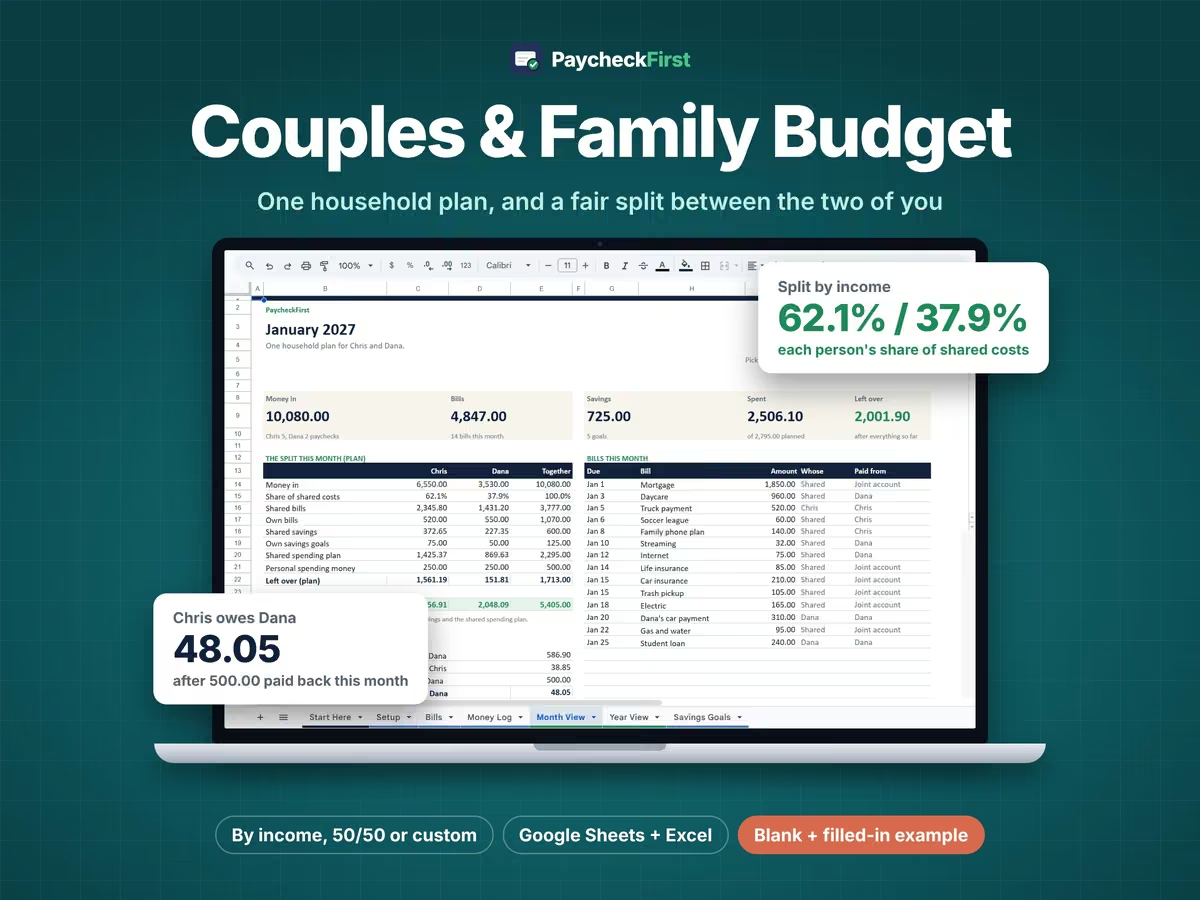
Built for two people running one household, kids included. Put in how each of you gets paid, your bills and what you're saving for. The workbook works out each person's share, what goes in the joint account, and who owes who.
- Two pay schedulesWeekly, every 2 weeks, twice a month or monthly for each of you. It counts how many paydays land in each month, so 3-paycheck months are covered.
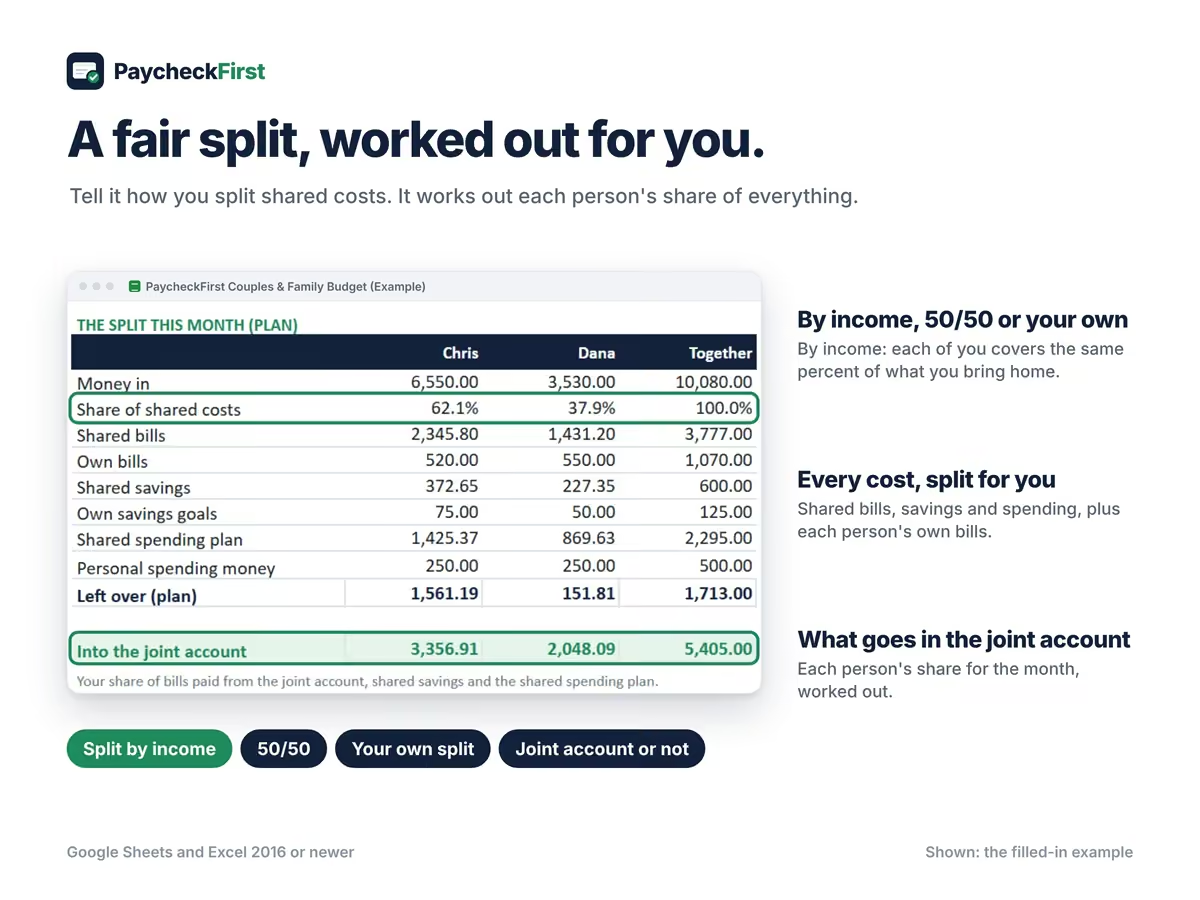
- Fair splitShare shared costs by income, 50/50, or your own percent. By income means each of you covers the same percent of what you bring home.
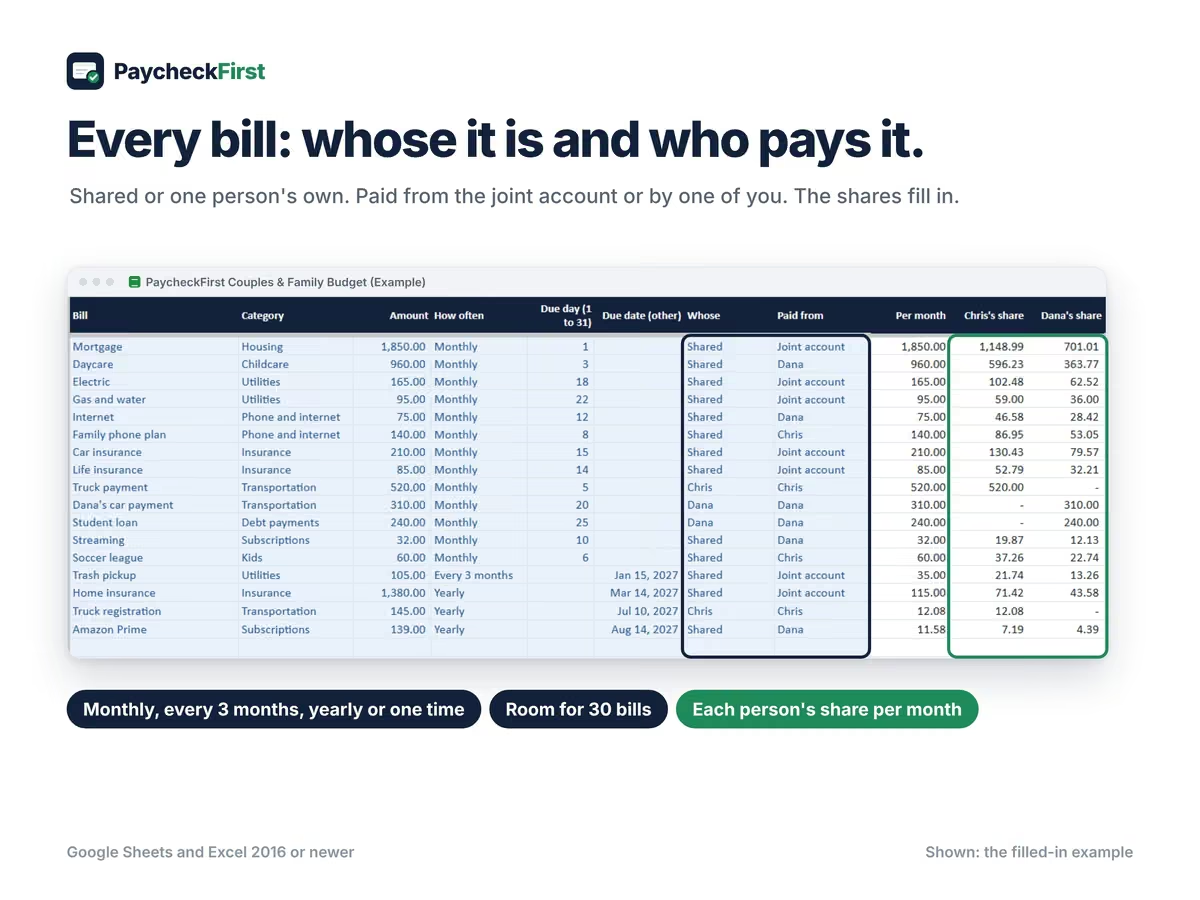
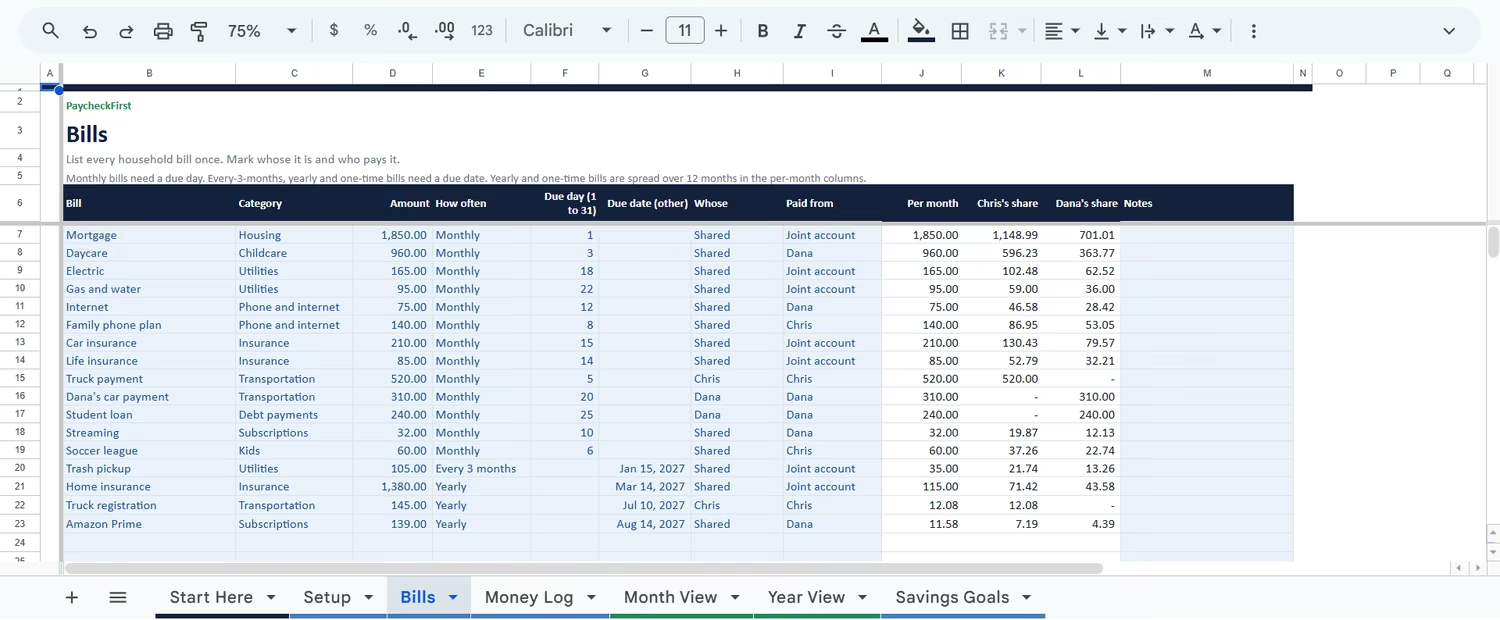
- BillsUp to 30. Mark each one Shared or one person's own, and pick who pays it: the joint account or one of you. Monthly, every 3 months, yearly or one time.
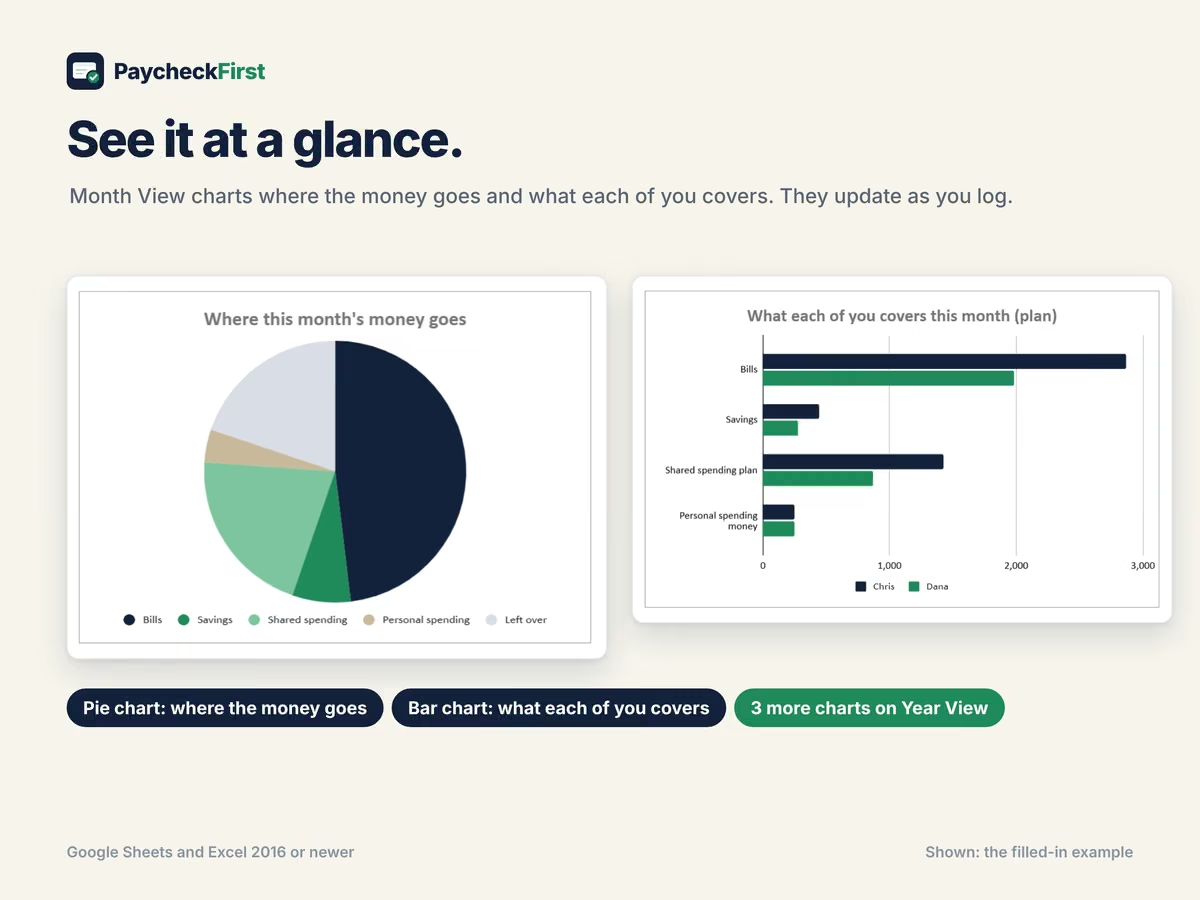
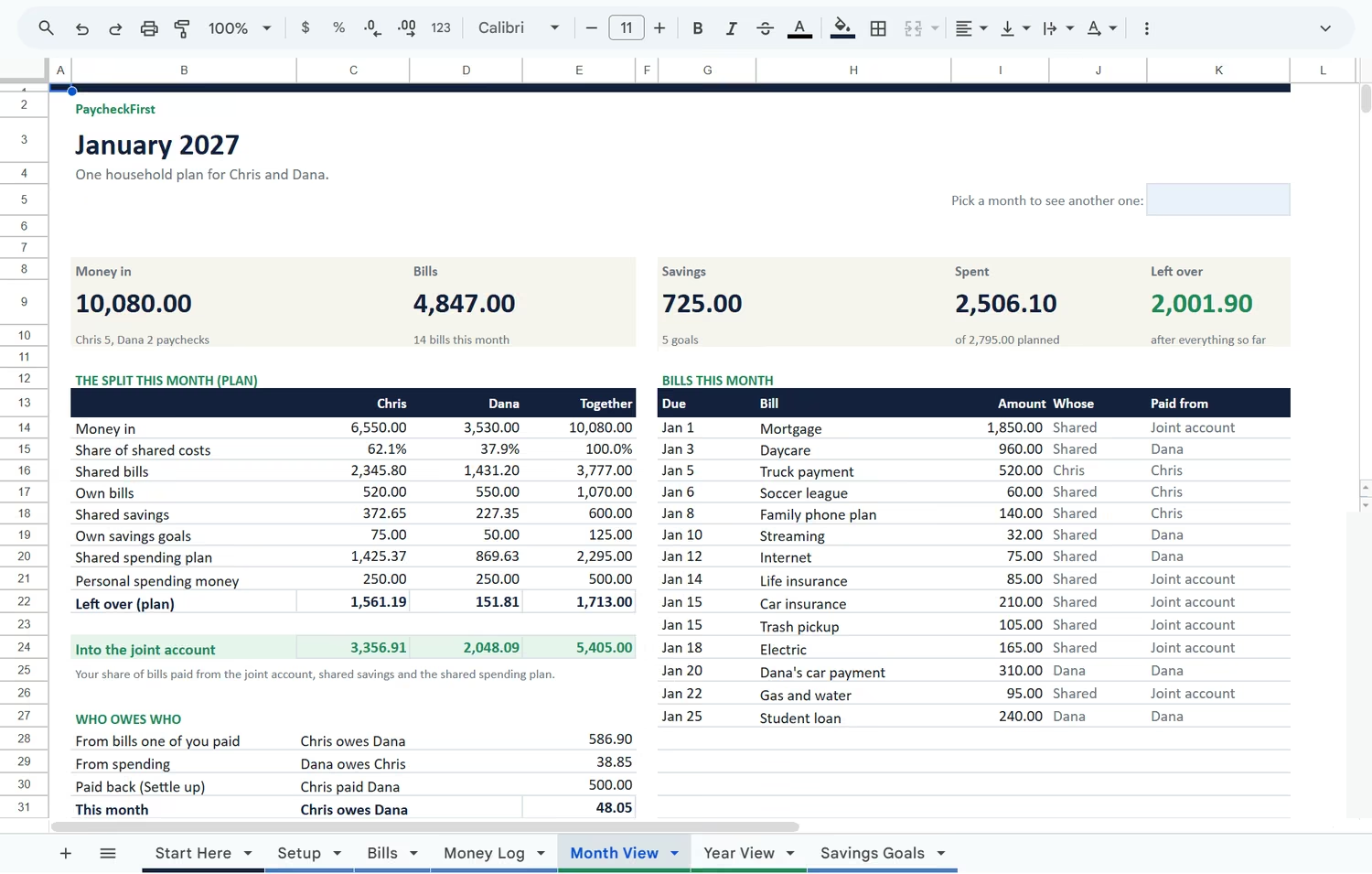
- Month ViewMoney in, bills, savings, spending and what's left. Each person's share of everything, what each of you puts in the joint account, and the month's bills in due date order.
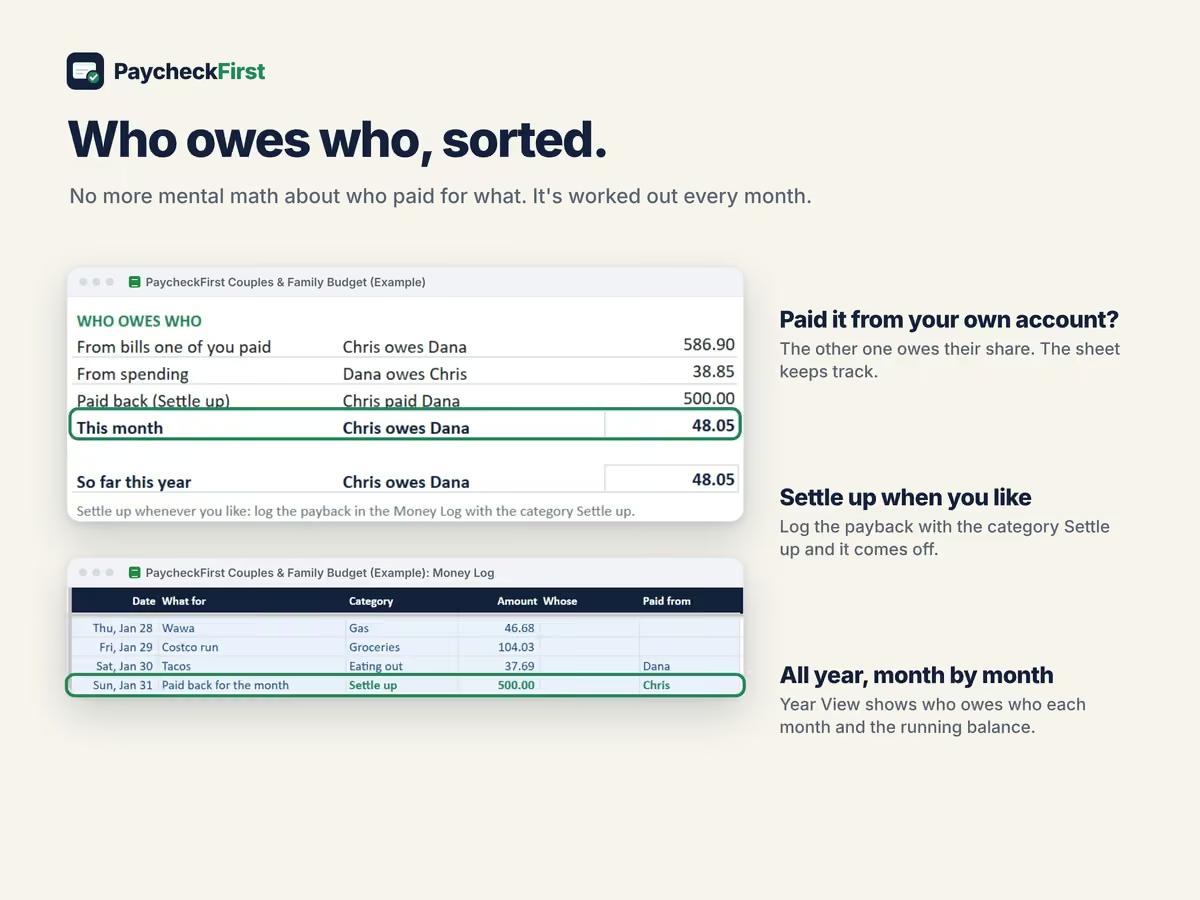
- Who owes whoWhen one of you pays a shared bill or purchase from your own account, the other owes their share. Log a payback as Settle up and it comes off. Year View keeps the running balance.
- Personal spending money for each of you, no questions asked, tracked against what you actually spend.
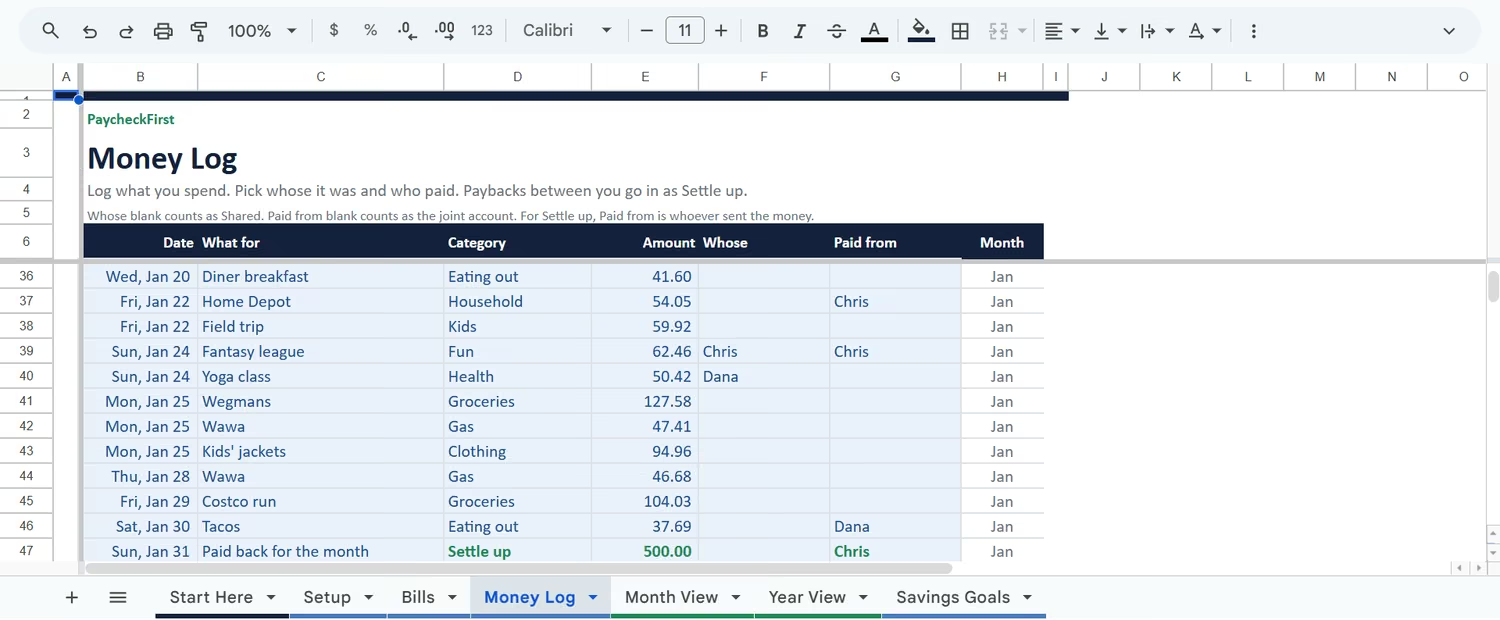
- Money Log600 lines. Date, what for, category, amount, whose it was and who paid.
- Savings GoalsUp to 10, shared or one person's own, with a per-month amount, months to go and a done-around date.
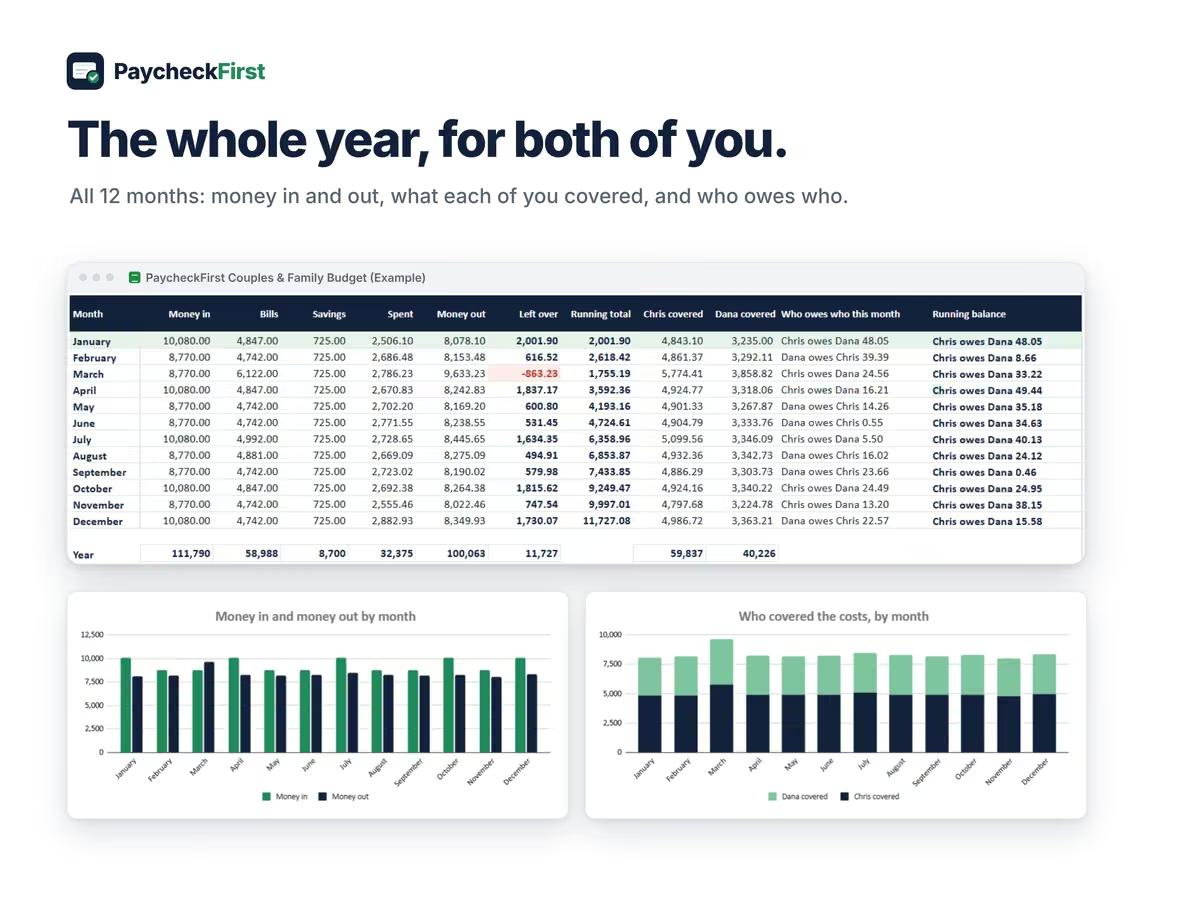
- Year ViewAll 12 months, what each of you covered, and a spot to type what you really took home when there's overtime or a short month.
- 5 chartsWhere the month's money goes and what each of you covers on Month View, plus money in and out, who covered the costs, and the year's breakdown on Year View.
- Catches slip-upsAmber flags a date outside the budget year, a missing due date, or a name that no longer matches Setup.
Inside the workbook
Real screenshots of the filled-in example in Google Sheets. Click any one for a closer look.
Works with
- Google Sheets, free with a Google account. Every file is tested there.
- Microsoft Excel 2016 or newer, including Microsoft 365. It only uses formulas that Excel 2016 already has, so nothing needs the newest version.
- Not made for Apple Numbers.
Good to know
- Blue cells are where you type. White cells do the math and are protected, so a stray keystroke can't wreck a formula.
- No currency sign is built in, so it works in any currency.
- This is a digital download. Nothing gets shipped.
- It's a budgeting tool, not financial advice.
- Who owes who assumes each of you puts your share into the joint account the way Month View shows. No joint account? Mark each bill and purchase with whoever paid it.
Guides that go with it
How couples can split bills fairly: 50/50 or by income
Splitting everything down the middle sounds fair until one of you makes a lot more. Here's how the common ways to split compare, with the math, plus how to run a joint account when you're paid on different schedules.
How to budget by the paycheck
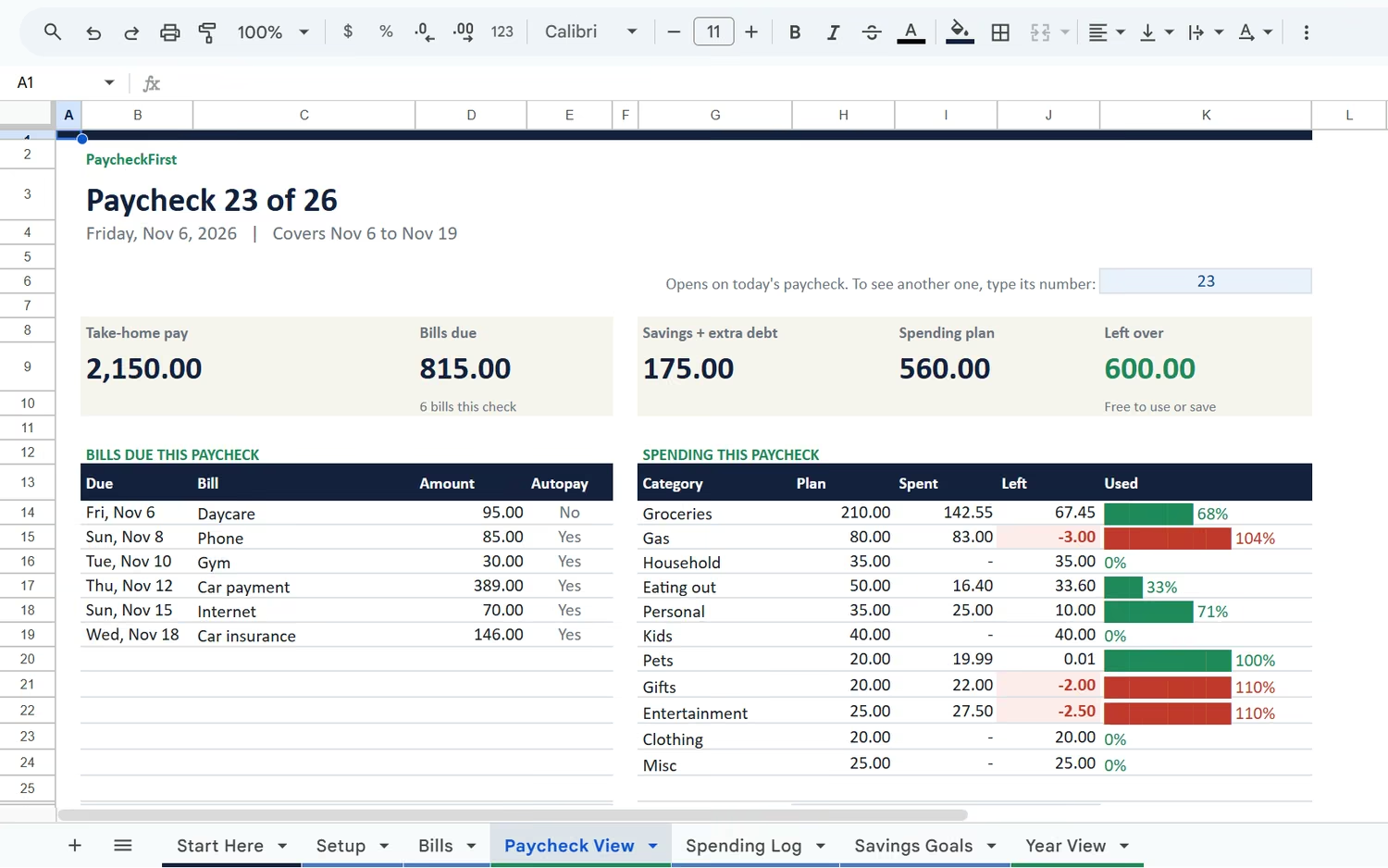
A monthly budget can say you're fine while one check comes up short. Here's how to plan each paycheck before it lands, and what to do with the months that bring an extra one.
Debt snowball vs. debt avalanche: which one should you use?
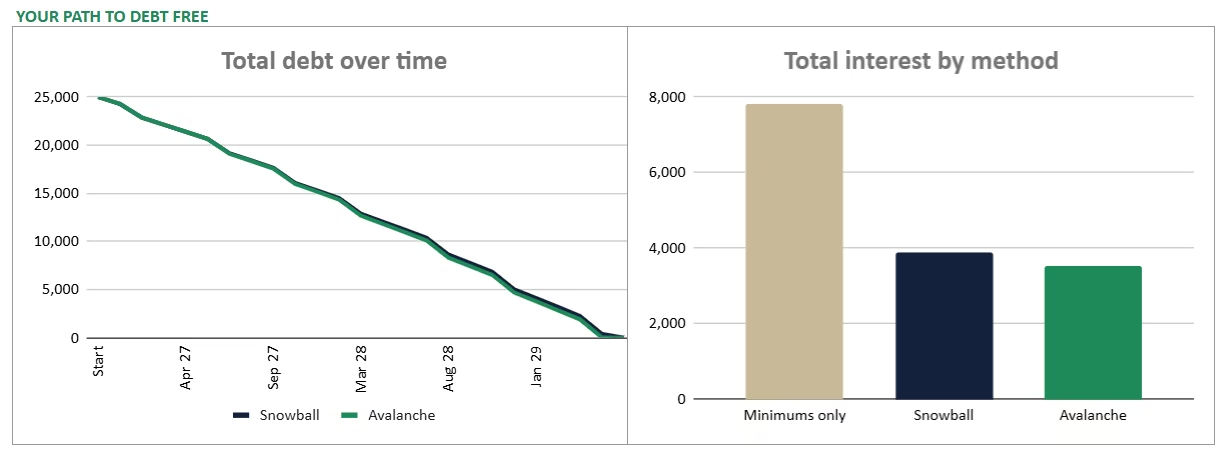
Both pay off everything you owe. One saves more interest, the other gets you wins sooner. Here's how they compare on a real set of debts, and how to pick.
You might also need
Paycheck Budget
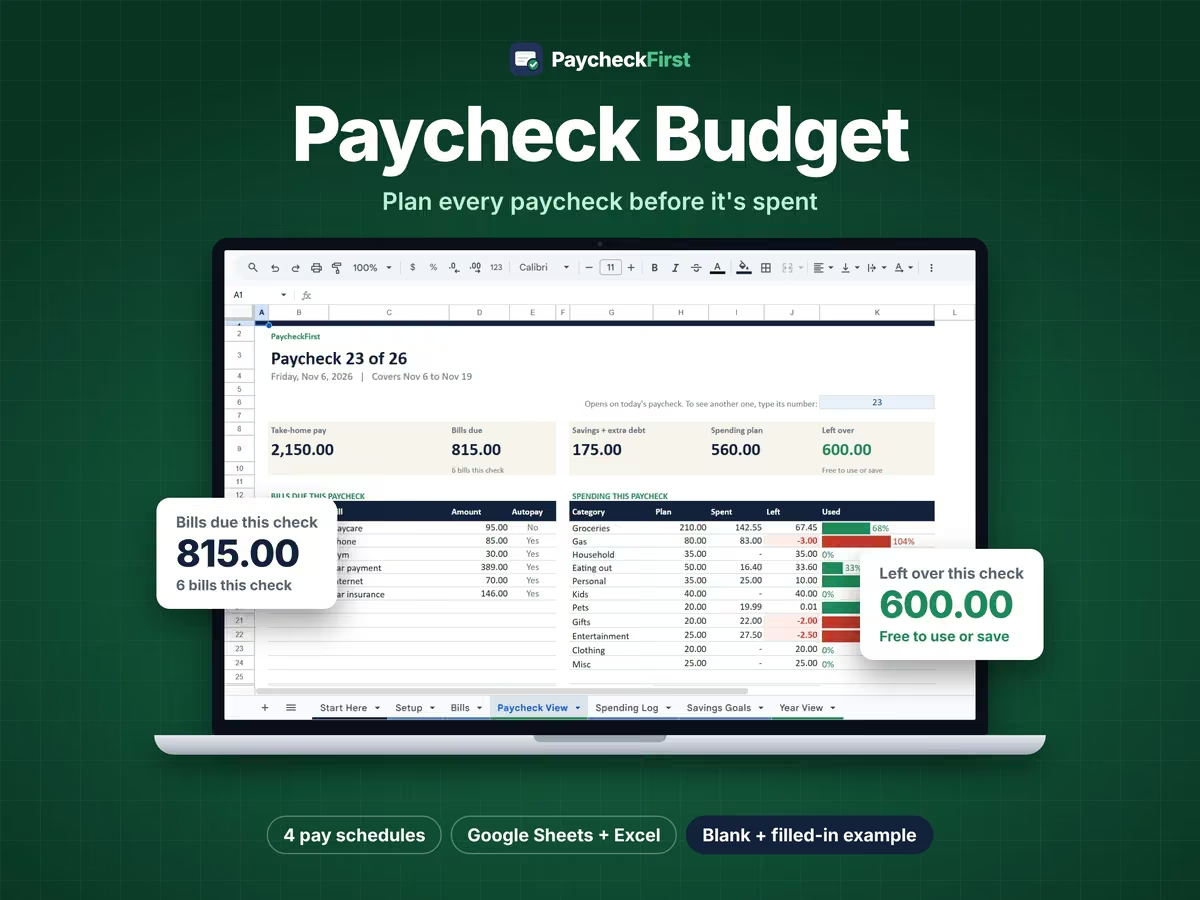
Every bill lands on the check that pays it. Weekly, every 2 weeks, twice a month or monthly pay.
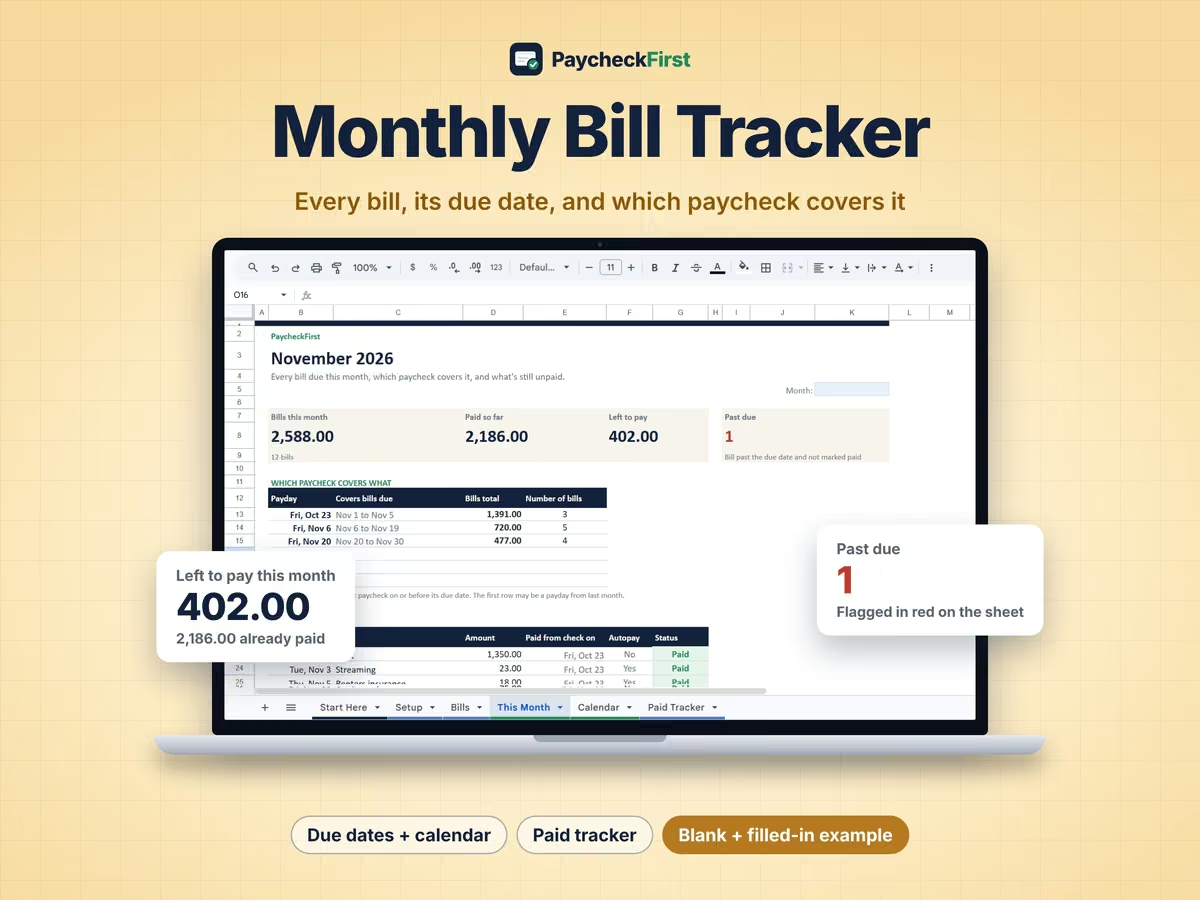
Monthly Bill Tracker
A month list, a calendar with paydays marked, and a 12-month paid checklist.
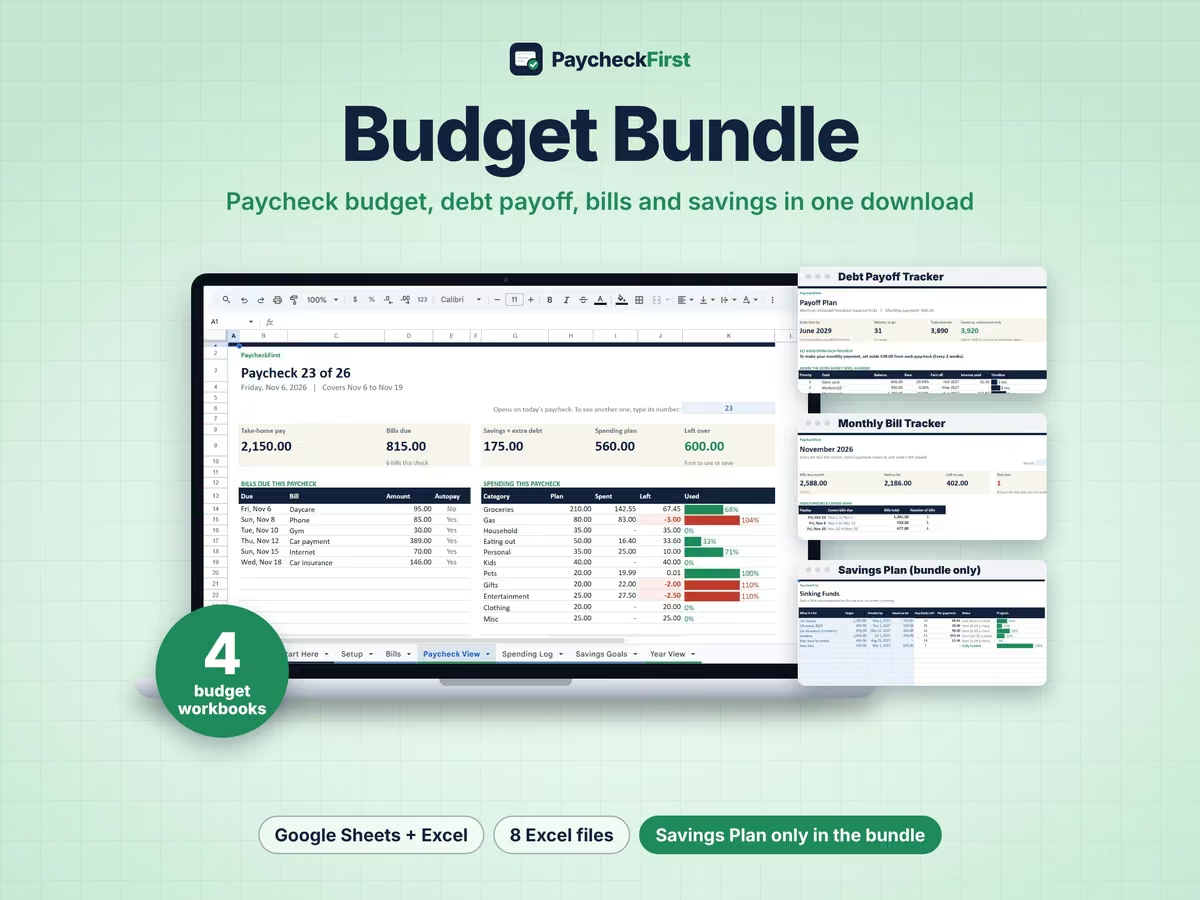
Budget Bundle
The Paycheck Budget, Debt Payoff Tracker and Bill Tracker, plus the Savings Plan you can only get here.